
Linux servers power websites, web applications, databases, APIs, and critical business infrastructure. Although Linux is widely used in production environments, it is not immune to malware, malicious scripts, webshells, or unauthorized file modifications.
A compromised PHP file, a suspicious executable, or an attacker-uploaded webshell can create serious security risks. Without effective scanning and investigation, suspicious files may remain unnoticed for extended periods.
This is where automated virus and malware scanning becomes an important part of a modern cybersecurity strategy.
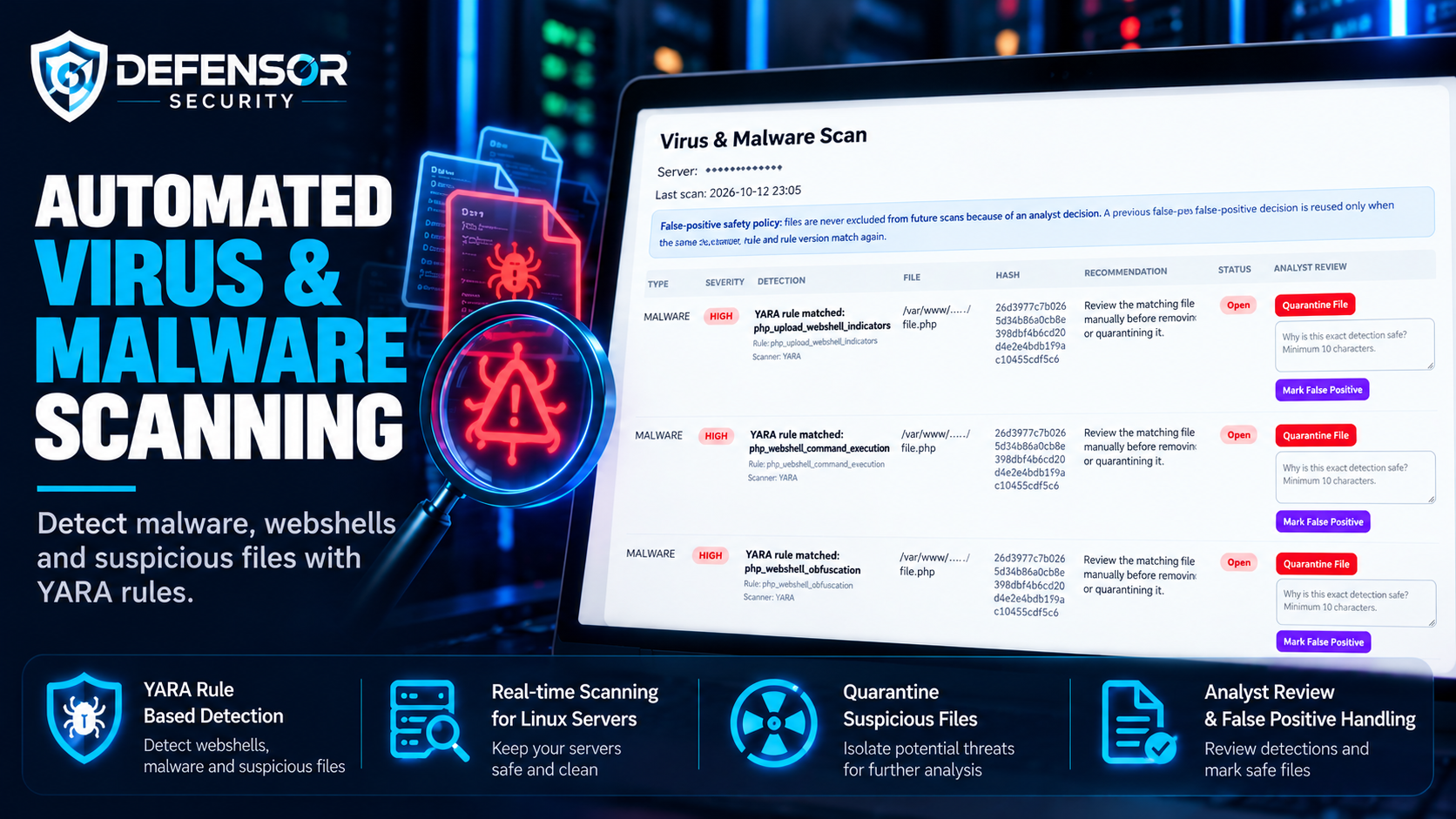
DEFENSOR Security provides centralized security monitoring with YARA-based detection, malware finding management, analyst review, and controlled response workflows to help security teams investigate suspicious files on Linux servers.
What Is Virus and Malware Scanning?
Virus and malware scanning is the process of examining files and other relevant artifacts to identify patterns or characteristics associated with potentially malicious software.
Malware can take many forms, including:
- Webshells hidden inside web application directories.
- PHP scripts containing suspicious command-execution functionality.
- Obfuscated scripts designed to conceal their behavior.
- Malicious downloaders and reverse-shell components.
- Cryptocurrency miners installed without authorization.
- Ransomware-related files and suspicious executables.
- Other files containing known malware indicators.
Not every suspicious file is necessarily malicious. Legitimate application code can sometimes contain patterns that resemble malicious behavior. Consequently, effective malware detection must be combined with evidence review and informed analyst decisions.
Why Do Linux Servers Need Automated Malware Scanning?
1. Detect Suspicious Files Earlier
Manual file inspection across multiple servers can be time-consuming and inconsistent.
Automated scanning helps security teams examine relevant files using detection rules and identify potential threats that require further investigation.
2. Identify Potential PHP Webshells
Webshells are scripts that attackers may use to interact with a compromised web server. Depending on their functionality, they can provide unauthorized command execution, file manipulation, or other dangerous capabilities.
PHP webshell detection can examine suspicious indicators associated with:
- File-upload functionality that may be abused.
- Command-execution patterns.
- Obfuscated PHP code.
- Suspicious combinations of webshell-related strings.
- Other rule-defined indicators associated with potentially malicious scripts.
These indicators are useful for detection, but their presence alone does not always establish that a file is malicious.
3. Detect Malware Through YARA Rules
YARA is a rule-based identification technology widely used to recognize patterns associated with malware and suspicious files.
Security teams can create rules describing strings, file characteristics, and logical combinations of indicators that may be associated with particular threats.
DEFENSOR uses managed YARA detection rules to help identify suspicious file patterns and generate findings for analyst review.
Rule-based detection can help security teams investigate threats that might otherwise be overlooked during routine administration.
4. Centralize Findings Across Servers
When an organization operates multiple Linux servers, reviewing scan results individually can make investigations difficult.
A centralized security platform helps analysts review findings, compare detection details, examine file paths and hashes, and prioritize investigation activities across their managed environment.
How DEFENSOR Virus & Malware Scanning Works
DEFENSOR combines automated detection with a human-controlled investigation process.
Step 1: Scan Relevant Files
The configured scanning process examines files using the supported scanning methods and detection rules.
Depending on the deployment and configuration, scanning may be performed as part of scheduled or analyst-initiated security operations.
Step 2: Match Suspicious Patterns
When a file matches a detection rule, DEFENSOR records a finding containing relevant information about the detection.
This may include the detection name, rule identifier, severity, scanner, affected file path, and file fingerprint.
Step 3: Review the Detection Evidence
Security analysts review the finding to understand why the file was flagged.
For example, a PHP file might match a webshell-related YARA rule because it contains certain strings or patterns. The analyst must determine whether those indicators represent malicious functionality or legitimate application behavior.
Step 4: Choose an Appropriate Response
After investigation, the analyst can decide whether the finding requires further action.
Depending on the evidence and available permissions, the response may include:
- Keeping the finding open for additional investigation.
- Quarantining a confirmed or sufficiently validated threat.
- Recording a false-positive decision for a verified legitimate file.
- Escalating the case for further security review.
Detection does not automatically mean deletion or quarantine. Human review helps reduce the risk of disrupting legitimate applications and production services.
What Is False-Positive Handling?
A false positive occurs when a security detection identifies a file as suspicious even though the file is legitimate or the available evidence does not support treating it as malicious.
False positives are a practical challenge for every rule-based detection system. A legitimate application file may contain strings or functions that also appear in malicious scripts.
For example, a legitimate WordPress core file responsible for handling uploads may trigger a webshell-related YARA rule because of overlapping indicators.
That match should be investigated rather than treated as conclusive proof of compromise.
How DEFENSOR Handles False Positives
DEFENSOR allows an authorized analyst to review a detection and record a false-positive decision with a supporting explanation.
This helps preserve investigation context and makes it easier for other analysts to understand why a particular detection was previously reviewed.
The false-positive handling process follows a fingerprint-based safety policy:
- A file is not permanently excluded from future scans merely because an analyst marks a detection as a false positive.
- A previous decision is reused only when the server, SHA-256 fingerprint, scanner, rule, and rule version match.
- If the file changes, its SHA-256 fingerprint changes, and the modified file can return as a new detection.
- The analyst should provide a meaningful explanation that documents why the exact detection is considered safe.
This approach helps reduce repeated alerts for previously reviewed files without blindly trusting every future version of those files.
Why SHA-256 Fingerprints Matter
A file path alone is not a reliable way to establish that two files are identical. A file at the same location can be replaced or modified while retaining its original name.
A SHA-256 fingerprint provides a content-based identifier that helps distinguish different versions of a file.
When a detection is reviewed, combining the fingerprint with the server, scanner, rule, and rule version provides a more precise basis for reusing the previous analyst decision.
This is particularly important for web applications, where legitimate updates and malicious file replacements can occur at the same path.
Analyst-Controlled Quarantine: Why It Matters
Automatically deleting every file flagged by a malware scanner can introduce serious operational risks.
A false positive affecting a critical application file could cause a website, service, or application component to stop functioning correctly.
DEFENSOR's analyst-controlled workflow supports a more deliberate approach to suspicious files.
Before taking action, an analyst should consider:
- The severity and nature of the detection.
- The file's purpose and location.
- The matched rule and available evidence.
- Whether the file belongs to a legitimate application.
- The operational impact of quarantining the file.
- Whether further validation or escalation is required.
When a file is determined to be malicious or sufficiently validated for containment, the authorized response workflow can be used to quarantine it.
Quarantine is different from deletion: it is intended to isolate a suspicious file so it cannot continue operating normally, while supporting controlled investigation and recovery procedures.
Manual deletion should remain a deliberate, authorized action rather than an automatic consequence of a detection.
Key Benefits of DEFENSOR Malware Monitoring
YARA-Based Detection
Identify files that match configured rules for webshell indicators, suspicious command execution, obfuscation, and other malware-related patterns.
Centralized Security Findings
Review detection names, file paths, hashes, severity, recommendations, and analyst review information through a centralized interface.
Analyst Review and Investigation
Allow security personnel to validate suspicious findings instead of assuming that every detection represents a confirmed infection.
Controlled Quarantine
Support deliberate containment decisions through authorized response workflows, reducing the risk of unnecessary disruption to legitimate applications.
Fingerprint-Based False-Positive Handling
Reuse previous analyst decisions only when the relevant server, file fingerprint, scanner, rule, and rule version match.
Better Investigation Context
Maintain useful explanations and review information so security teams can understand previous decisions and investigate new or changed files appropriately.
Best Practices for Linux Malware Protection
Organizations should combine malware scanning with broader security controls.
- Keep Linux distributions, web servers, frameworks, and applications updated.
- Restrict write access to production application directories.
- Monitor unexpected file changes and suspicious uploads.
- Review high-severity findings promptly.
- Validate YARA matches before taking disruptive action.
- Maintain reliable backups and tested recovery procedures.
- Apply least-privilege access controls to security tools and response operations.
- Keep audit records of analyst decisions and quarantine actions.
- Reassess detection rules as applications and threats evolve.
Automated scanning is an important security layer, but it should not be treated as a guarantee that every threat will be detected. A strong defense combines detection, investigation, access control, monitoring, and incident response.
Conclusion
Linux servers require continuous attention because malicious scripts, webshells, suspicious executables, and unauthorized file changes can threaten both application security and service availability.
Automated virus and malware scanning helps security teams identify suspicious patterns and prioritize investigation. YARA-based detection adds flexible rule-driven identification, while analyst review helps distinguish potential threats from legitimate files.
DEFENSOR Security brings malware findings, detection evidence, analyst-controlled quarantine, and fingerprint-based false-positive handling into a centralized security monitoring workflow.
By combining automated detection with careful human review, organizations can strengthen their Linux security posture while reducing the risk of unnecessary disruption to legitimate production systems.
DEFENSOR — Detect threats. Investigate intelligently. Protect your infrastructure.