
How Many Attackers Are Trying to Access Your Server? (You Might Be Shocked)
If you run any server connected to the internet, attackers are already knocking on your door — whether you notice it or not.
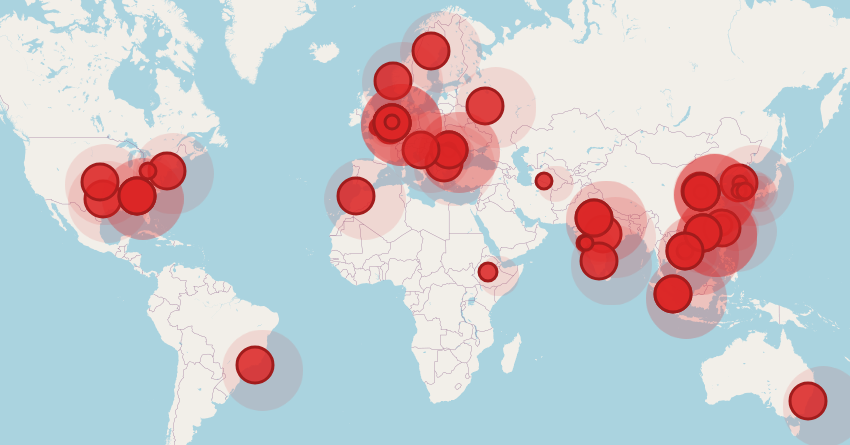
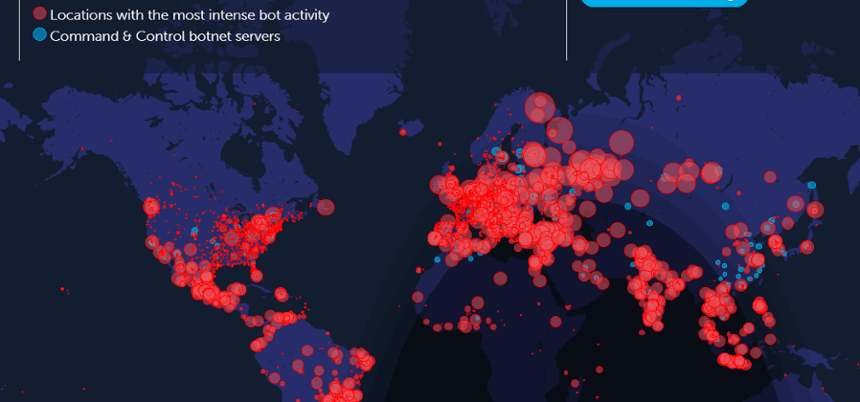
The image above is not a movie scene.
It represents real-world attack attempts happening right now across the globe.
Let’s break down what this means for your server.
🌍 A Global Problem: Attacks Never Stop
Every red dot on the map represents:
- Brute-force login attempts
- SSH scanning
- Port scanning
- Botnet activity
- Automated exploitation attempts
These attacks don’t target you personally — they target every reachable IP.
If your server is online:
- ✔ You are being scanned
- ✔ Login attempts are happening
- ✔ Bots are testing weak configurations
📊 How Many Attack Attempts Happen Daily?
On an average public Linux server, logs often show:
| Attack Type | Attempts per Day |
|---|---|
| SSH brute force | 1,000 – 50,000 |
| Port scans | 5,000 – 100,000 |
| Web exploits | Hundreds |
| Credential stuffing | Constant |
| Bot probes | 24×7 |
📌 Even a brand-new server gets attacked within minutes.
🔍 Where Do These Attacks Come From?
Attack traffic typically originates from:
- Compromised servers
- Infected PCs
- Cloud-hosted bots
- VPNs & proxy networks
Common regions you’ll see in logs:
- 🇺🇸 USA
- 🇨🇳 China
- 🇷🇺 Russia
- 🇮🇳 India
- 🇧🇷 Brazil
- 🇩🇪 Germany
⚠️ Important:
The country doesn’t mean the hacker is there — it’s just where the infected machine is located.
🧠 Why Most Admins Don’t Notice Attacks
Many servers are attacked silently because:
- Logs aren’t monitored continuously
- No real-time alerts are enabled
- Attacks fail quietly until one succeeds
- Admins check logs only after issues occur
By the time you “feel something is wrong” —
👉 the damage may already be done.
🚨 What Happens If One Attack Succeeds?
If attackers break in, they may:
- Install malware or crypto miners
- Steal credentials
- Use your server to attack others
- Blacklist your IP
- Destroy or encrypt data
- Turn your server into a bot
Worst part?
❌ Most compromises go unnoticed for weeks.
🛡️ How to Protect Your Server (Minimum Must-Have)
At the very least, every production server should have:
✅ Firewall (UFW / iptables)
Restrict incoming traffic to only required ports.
✅ Fail2Ban for SSH protection
Automatically blocks IPs after repeated failed login attempts.
(You can also monitor and alert on these events using tools like Security.Miku.in.)*
✅ Non-default SSH port
Reduces automated bot noise and scan attempts.
✅ Key-based SSH login only
Prevents password brute-force attacks entirely.
✅ Disabled root login
Limits damage even if a user account is compromised.
✅ Real-time security alerts
Immediate notifications when suspicious activity occurs
(for example, via centralized monitoring platforms such as security.themiku.in).*
✅ Centralized monitoring dashboard
View attack attempts, blocked IPs, and server activity from one place
(instead of manually checking logs on each server).
🔔 Real-Time Alerts Change Everything
Instead of reacting after damage:
- Get alerts on failed login spikes
- Know when IPs scan your ports
- See attacks on a live world map
- Block threats automatically
📌 Speed matters — seconds can save servers.
🔐 Final Thoughts
That attack map image isn’t exaggerated.
It’s a reminder:
The internet is hostile by default.
If your server is online, attackers are already trying.
The only question is:
👉 Are you watching, or are you blind?