
Real-World Linux Security Case Study | Threat Correlation | Fail2Ban | SOAR Automation
Introduction
Linux servers are frequent targets of unauthorized authentication attempts. When multiple security events originate from the same source within a short period, security teams need to investigate whether those events indicate a broader attack pattern.
Traditional log monitoring can identify individual events, but correlating related activity provides additional context for prioritizing incidents and responding effectively.
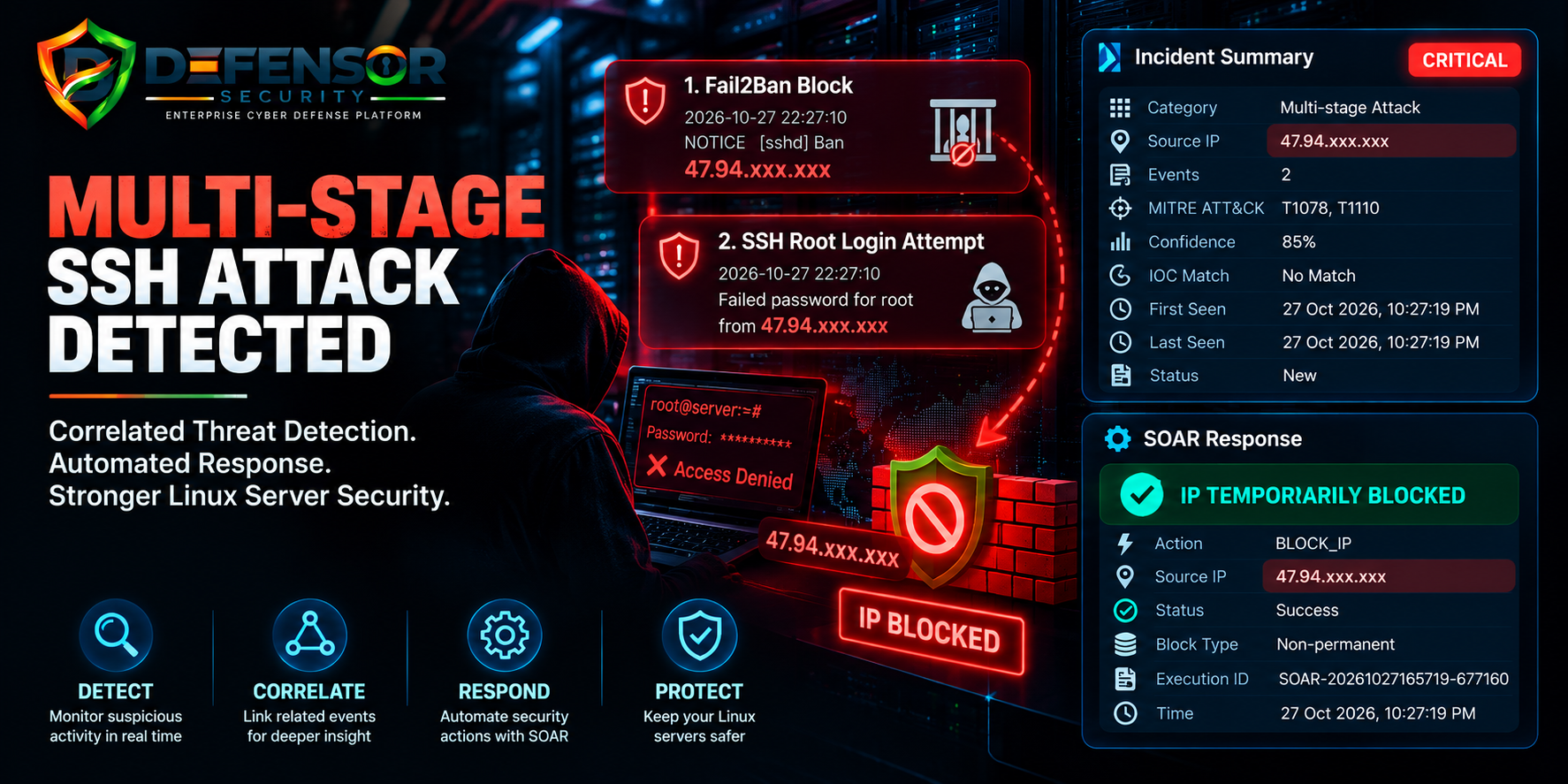
On 27 October 2026, the Defensor Security Platform recorded a critical multi-stage security incident involving two correlated security events associated with the same external IP address. The recorded activity included a Fail2Ban ban event and a failed SSH root login attempt. Defensor's SOAR workflow subsequently reported a successful temporary IP-blocking action.
This case study explains the incident, the significance of event correlation, and how automated response can support Linux server security.
Incident Overview
| Security Attribute | Recorded Details |
|---|---|
| Severity | Critical |
| Category | Multi-stage Attack |
| Detection Confidence | 85% |
| Correlated Events | 2 |
| Source IP | 47.94.xxx.xxx |
| MITRE ATT&CK | T1078, T1110 |
| IOC Match | No Match |
| Correlation Rule | SAME_IP_MULTI_EVENT_15M |
| Automated Response | Temporary IP Block |
| Response Status | Success |
| Incident Date | 27 October 2026 |
Disclosure: The source IP has been partially masked for public presentation. The classification reflects the platform's recorded assessment and does not, by itself, prove a successful intrusion.
What Happened?
Defensor recorded two security events associated with the same source IP. Its correlation rule identified multiple events within a 15-minute correlation window.
The recorded timeline included the following activity.
Event 1: Fail2Ban Ban Event
Time: 10:27:10 PM
The Fail2Ban log recorded:
NOTICE [sshd] Ban 47.94.xxx.xxx
This log indicates that Fail2Ban recorded a ban action for the source address under the SSH monitoring jail.
Fail2Ban helps protect servers by monitoring configured log sources and applying temporary or configured bans when matching conditions are met. A ban event alone does not reveal the complete sequence of authentication attempts or establish the identity of the source.
Event 2: SSH Root Login Attempt
Time: 10:27:10 PM, as recorded in the authentication log
The server's authentication log recorded:
Failed password for root from 47.94.xxx.xxx port 52818 ssh2
This entry indicates that the server rejected the password supplied during the recorded SSH root login attempt.
Attempts involving the root account deserve attention because root has extensive administrative privileges. However, a failed password entry is evidence of an unsuccessful authentication attempt—not proof that the account was compromised.
The available records show that Fail2Ban recorded a ban and the server recorded a failed root login attempt. Further log analysis would be needed to establish the precise sequence and relationship between the underlying authentication attempts and the ban.
How Defensor Correlated the Events
Defensor associated the two events with the correlation rule:
SAME_IP_MULTI_EVENT_15M
The rule identifies multiple security events from the same source IP within a 15-minute window.
This type of correlation helps security teams move beyond isolated log entries and examine related activity together.
In this incident, the platform classified the case as a critical multi-stage attack and assigned an 85% confidence score.
That score should be interpreted as the platform's detection confidence, not as an 85% probability of successful compromise.
The incident was also mapped to two MITRE ATT&CK techniques:
- T1110 — Brute Force: Covers techniques used to gain account access by guessing or otherwise attacking authentication credentials. The observed failed password is consistent with authentication activity that warrants investigation, but one failed attempt alone does not prove a brute-force campaign.
- T1078 — Valid Accounts: Covers adversarial use of legitimate accounts. The recorded failed root login does not establish that valid credentials were obtained or used successfully.
The platform reported no matching IOC. This means the checks performed did not identify a matching indicator; it does not prove the source was safe.
Automated Response: Defensor SOAR
Following the incident detection, Defensor recorded a successful temporary IP-blocking action.
SOAR response details
- Action:
BLOCK_IP - Source IP:
47.94.xxx.xxx - Execution ID:
SOAR-20261027165719-677160 - Execution status: Success
- Block type: Non-permanent
- Recorded time: 27 October 2026, 10:27:19 PM
The recorded response illustrates how security detection can be connected to automated defensive controls.
A SOAR workflow can help security teams reduce delays between identifying a suspicious event and applying a predefined response. It can also preserve an auditable record of the action taken.
However, a successful SOAR execution does not independently prove that every relevant network path is blocked. Administrators should verify the firewall, access-control mechanism, and ban status to confirm that the intended restriction is active.
Because Fail2Ban had also recorded a ban, administrators should check the interaction between both controls, their expiration settings, and any duplicate or conflicting rules.
Why Event Correlation Matters
An individual failed login may be caused by a mistyped password, an incorrectly configured service, or an unauthorized access attempt.
When related events are observed within a defined period, correlation can help prioritize investigation and reveal patterns that might otherwise be overlooked.
For Linux administrators, combining authentication logs, Fail2Ban events, firewall activity, and centralized security monitoring can improve visibility into suspicious access attempts.
The objective is not to treat every failed login as a confirmed attack. It is to identify meaningful patterns, assess the evidence, and respond proportionately.
Recommended Linux Server Security Measures
1. Disable Direct Root SSH Login
Where operationally appropriate, disable direct root login and use named administrative accounts with controlled privilege escalation.
2. Strengthen SSH Authentication
Use securely managed SSH keys, protect private keys with passphrases where appropriate, and establish procedures for revoking compromised credentials.
3. Configure Fail2Ban Carefully
Review SSH jail settings, thresholds, ban durations, log sources, and allowlists. Ensure that legitimate administrators are not accidentally locked out.
4. Correlate Security Logs
Analyze authentication failures alongside Fail2Ban actions, successful logins, firewall events, and related system activity.
5. Verify Automated Blocking
Confirm that the SOAR response has been applied to the intended firewall or access-control mechanism. Record the action, expiration time, and verification outcome.
6. Investigate Possible Compromise
Review successful authentication records, active sessions, privileged commands, SSH keys, system changes, and other relevant evidence before concluding that an incident is contained.
Defensor: From Detection to Response
This incident demonstrates the value of bringing security events and response actions into a unified monitoring workflow.
Defensor recorded multiple events from the same source, correlated them using a defined rule, classified the incident, mapped relevant MITRE ATT&CK techniques, and recorded a successful temporary IP-blocking action through SOAR.
For organizations operating Linux infrastructure, this combination of monitoring, event correlation, incident management, and automated response can help improve operational visibility and response readiness.
Conclusion
The recorded incident involved two correlated security events: a Fail2Ban ban event and a failed SSH root login attempt. Defensor classified the activity as a critical multi-stage security incident and recorded a successful temporary IP-blocking response.
The available evidence supports the conclusion that suspicious authentication-related activity was detected and defensive actions were recorded. It does not, by itself, establish a successful intrusion, the attacker's identity, or the exact relationship between every underlying authentication attempt.
Defensor — Detect Threats. Correlate Events. Respond Faster.
Security disclosure: The source IP has been partially masked. Incident descriptions are based on recorded security events and should not be interpreted as proof of successful compromise or attribution to a specific person or organization.