
Critical SSH Root Login Attempt Detected: How Defensor Responded to a Linux Security Threat
2026-10-27T09:05:47.642961+00:00 ecXXX sshd[2204721]:
Failed password for root from 109.160.XX.XXX port
47912 ssh2
Real-World Security Monitoring | Linux Server Protection | Automated SOAR Response
Introduction
Linux servers power websites, business applications, databases, and critical digital infrastructure. Protecting these systems from unauthorized access is essential for maintaining data security and service availability.
One of the most sensitive areas of Linux server security is SSH (Secure Shell) authentication. When an external source attempts to log in using the root account, security teams should investigate the event because the root account has extensive administrative privileges.
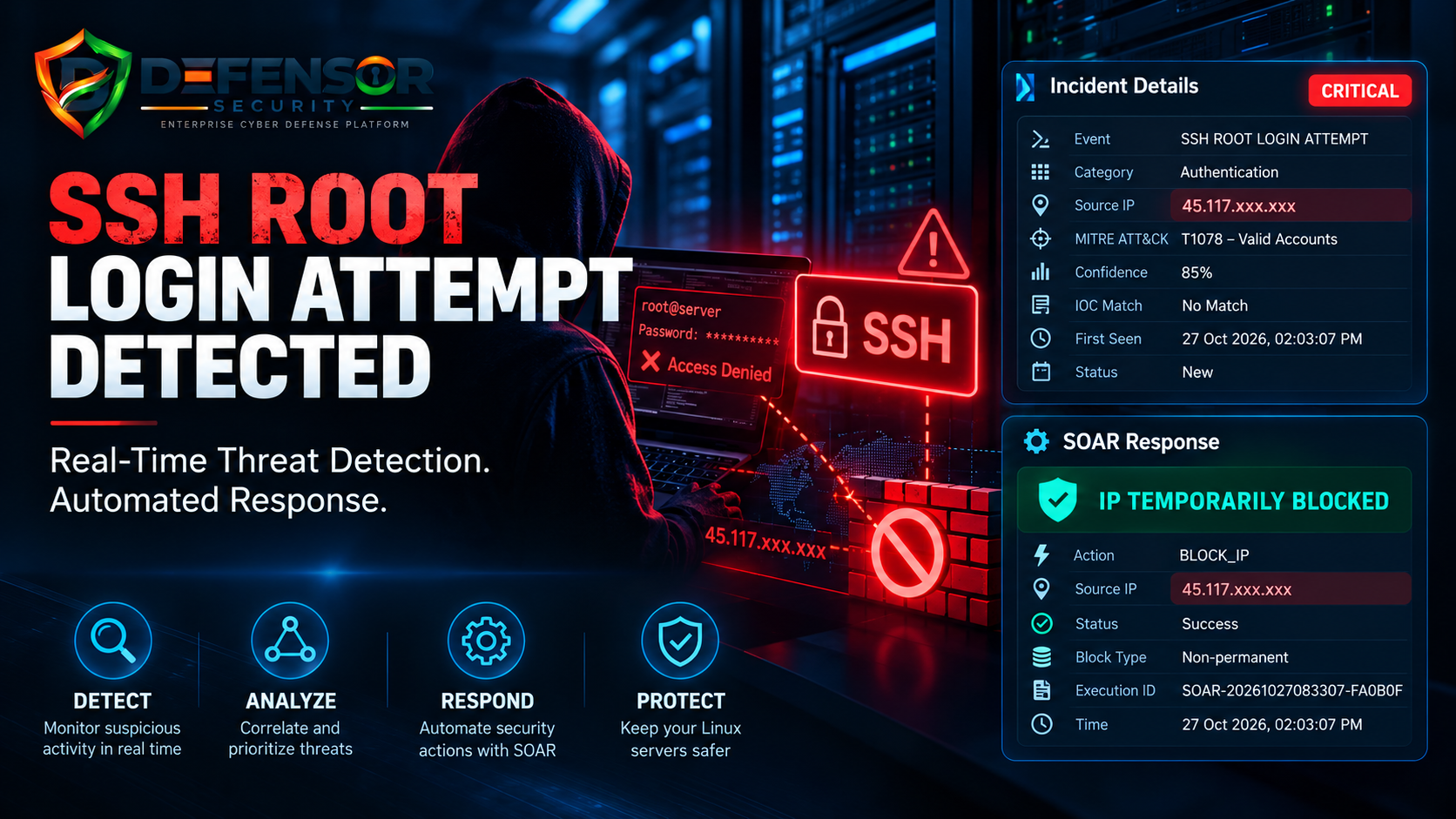
Recently, the Defensor Security Platform detected a critical SSH root login attempt and recorded an automated response through its Security Orchestration, Automation, and Response (SOAR) workflow.
This case study explains what was detected, how the event was analyzed, and how automated response can support a stronger server security strategy.
Incident Overview
The following information summarizes the security event recorded by Defensor.
| Security Attribute | Details |
|---|---|
| Incident Severity | Critical |
| Incident Category | Authentication |
| Detected Event | SSH Root Login Attempt |
| Source IP | 45.117.xxx.xxx |
| Detection Confidence | 85% |
| MITRE ATT&CK Mapping | T1078 – Valid Accounts |
| IOC Match | No Match |
| Automated Response | Temporary IP Block |
| Response Status | Success |
| Incident Date | 27 October 2026 |
Note: The source IP has been partially masked for public disclosure. The incident record confirms a failed password attempt; it does not establish a successful intrusion.
What Happened?
During security monitoring, Defensor identified an SSH authentication event involving an attempt to access a Linux server using the root username.
The relevant authentication log recorded:
Failed password for root from 45.117.xxx.xxx port 59644 ssh2
This entry indicates that the server rejected the password submitted during the recorded root login attempt.
Although a failed authentication event does not necessarily indicate a successful attack, attempts involving privileged accounts deserve attention. Repeated attempts, unusual login patterns, and suspicious activity across multiple services can indicate a broader security concern.
Defensor classified this event as critical and associated it with the SINGLE_CRITICAL_EVENT correlation rule.
How Defensor Analyzed the Event
Defensor's security monitoring workflow recorded the event with an 85% confidence score and mapped it to MITRE ATT&CK technique T1078, known as Valid Accounts.
This technique describes the abuse of legitimate account credentials by adversaries. However, a failed root password attempt alone does not demonstrate that valid credentials were obtained or successfully used.
The platform also reported no matching indicator of compromise (IOC).
An IOC no-match result means that the checks performed did not identify a matching indicator. It does not prove that the source is harmless or that the event can be ignored.
This distinction is important: effective security monitoring should combine detection results with log evidence, system context, and further investigation.
Automated Response: Temporary IP Blocking
After detecting the event, Defensor recorded a successful temporary IP-blocking action through its SOAR workflow.
Response summary
- Action:
BLOCK_IP - Source: Masked external IP address
- Execution ID:
SOAR-20261027083307-FA0B0F - Execution Status: Success
- Block Type: Non-permanent
- Recorded Time: 27 October 2026, 02:03 PM
This demonstrates how a security platform can connect threat detection with an automated defensive action.
Without automation, an administrator might need to review the alert, assess its priority, and manually apply a blocking rule. A properly configured SOAR workflow can reduce the time required to initiate a response and help enforce consistent security policies.
The reported success status confirms that the SOAR execution reported success. Administrators should independently verify the relevant firewall or access-control mechanism to confirm that the intended traffic is actually blocked.
Temporary blocking should also be accompanied by investigation and appropriate expiration or review policies.
Why SSH Root Login Attempts Matter
The root account has extensive privileges on a Linux system. If an unauthorized party successfully gains root access, the consequences may include:
- Unauthorized access to sensitive information.
- Modification of system configurations.
- Installation of malicious software or persistence mechanisms.
- Disruption of websites, applications, or business services.
- Further attacks against connected infrastructure.
These are potential consequences of successful unauthorized access, not confirmed outcomes of this incident.
Security teams should therefore distinguish between an attempted login, a successful authentication, and evidence of actual compromise.
Recommended Security Practices for Linux Servers
1. Disable Direct Root Login
Where operationally appropriate, disable direct root SSH login and use individual administrative accounts with controlled privilege escalation.
2. Use SSH Key-Based Authentication
Use securely managed SSH keys instead of relying solely on passwords. Protect private keys with appropriate permissions and passphrases, and establish a process for revoking compromised keys.
3. Restrict SSH Access
Where possible, restrict SSH access to trusted IP addresses, VPN connections, or approved administrative networks.
4. Monitor Authentication Logs
Review relevant authentication logs for repeated failures, unusual source addresses, unexpected successful logins, and activity involving privileged accounts.
5. Automate Defensive Responses
Use carefully configured security automation to trigger appropriate actions when defined detection criteria are met. Ensure that response actions are logged, reviewable, and reversible where appropriate.
6. Investigate Before Closing an Incident
Review authentication history, active sessions, firewall rules, SSH configuration, and related security events. Confirm whether the event was isolated or part of a broader pattern.
Blocking an IP address is one response measure; it is not proof that the underlying security risk has been fully resolved.
The Role of Real-Time Security Monitoring
Security incidents do not always begin with an obvious compromise. They can start with a single failed authentication attempt, an unexpected login, or another seemingly minor event.
Real-time monitoring helps security teams identify these signals. Event correlation adds context, while automated response can help reduce delays in applying defensive controls.
A security platform that brings together monitoring, incident management, correlation, and SOAR can provide administrators with a more structured way to investigate and respond to potential threats.
This is the approach demonstrated by the recorded Defensor incident: detection, classification, and an automated response action in a single security workflow.
Conclusion
This incident highlights the importance of monitoring SSH authentication attempts, especially those targeting privileged accounts.
Defensor recorded a critical SSH root login attempt, assigned a confidence score, mapped the event to a MITRE ATT&CK technique, and reported successful execution of a temporary IP-blocking action.
The available evidence confirms a failed password attempt and a recorded response—not a confirmed server compromise.
For organizations operating Linux infrastructure, combining continuous monitoring, strong authentication controls, careful investigation, and appropriately configured security automation can help improve visibility and response readiness.
Defensor — Detect Threats. Respond Faster. Strengthen Server Security.
Disclosure: The source IP has been partially masked for public presentation. The incident details are based on the recorded security event and do not establish the identity or intent of the source. No successful intrusion is claimed.