
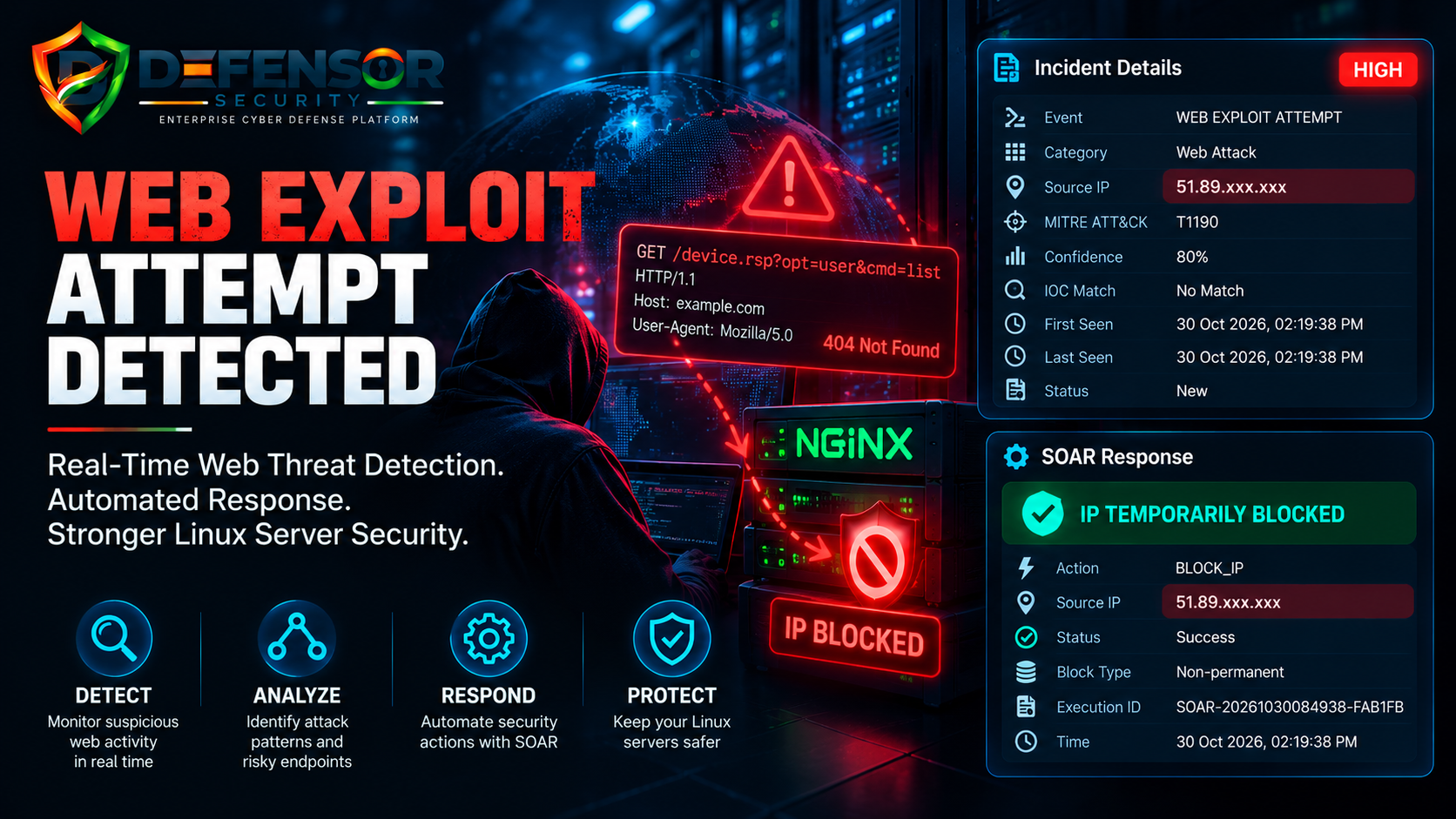
Real-World Cybersecurity Case Study | Web Attack Detection | Automated SOAR Response
Introduction
Public-facing web servers are continuously exposed to internet traffic. While most requests are legitimate, attackers and automated scanning tools often send specially crafted HTTP requests to discover vulnerable endpoints, identify exposed services, or attempt unauthorized access.
A suspicious request targeting an unusual web endpoint can be an early indicator of reconnaissance or an attempted exploitation of a public-facing application.
On 30 October 2026, the Defensor Security Platform detected a high-severity Web Exploit Attempt in Nginx access logs. The platform classified the event, mapped it to MITRE ATT&CK technique T1190, and recorded a successful temporary IP-blocking action through its SOAR workflow.
This case study explores what happened and how automated security monitoring can help protect public-facing Linux servers.
Incident Overview
| Security Attribute | Details |
|---|---|
| Severity | High |
| Category | Web Attack |
| Detected Event | Web Exploit Attempt |
| Source IP | 51.89.xxx.xxx |
| Detection Confidence | 80% |
| Events | 1 |
| MITRE ATT&CK | T1190 |
| IOC Match | No Match |
| Log Source | Nginx Access Log |
| Automated Response | Temporary IP Block |
| Response Status | Success |
| Incident Date | 30 October 2026 |
Note: The source IP has been partially masked for public disclosure.
What Happened?
During real-time server monitoring, Defensor identified a suspicious HTTP request originating from an external IP address.
The Nginx access log recorded:
51.89.xxx.xxx - - [30/Oct/2026:14:19:24 +0530] "GET /device.rsp?opt=user&cmd=list HTTP/1.1" 404 162 "-" "Mozilla/5.0"
The request targeted the following endpoint:
/device.rsp?opt=user&cmd=list
This is an unusual endpoint and parameter combination that may indicate probing for a device-management interface or an exposed web application endpoint.
The server returned an HTTP 404 Not Found response.
This means the requested resource was not found at the requested path. The available log does not demonstrate that the endpoint was successfully accessed or exploited.
Nevertheless, suspicious requests targeting potentially sensitive endpoints deserve investigation, particularly on internet-facing infrastructure.
Understanding the MITRE ATT&CK Mapping: T1190
Defensor mapped this event to:
T1190 – Exploit Public-Facing Application
This MITRE ATT&CK technique describes attempts to exploit vulnerabilities in applications or services accessible from the internet.
Attackers may target:
- Exposed administrative interfaces.
- Vulnerable web applications.
- Unpatched application components.
- Device management endpoints.
- Misconfigured public-facing services.
A suspicious endpoint request alone does not prove that an exploit succeeded. However, identifying and investigating these requests can help administrators discover potential attack activity before it develops into a more serious incident.
How Defensor Detected the Threat
Defensor analyzed the Nginx access log and identified the request as a high-priority Web Attack event.
The incident was recorded with:
- Severity: HIGH
- Detection Confidence: 80%
- MITRE ATT&CK: T1190
- Correlation Rule:
SINGLE_CRITICAL_EVENT - IOC Match: No Match
The 80% confidence score represents the platform's detection assessment, not an 80% probability of successful exploitation.
Similarly, the absence of an IOC match does not establish that the source IP is harmless. It simply indicates that the available IOC checks did not identify a matching indicator.
This demonstrates why security monitoring should not rely exclusively on known malicious IP databases. Analyzing request patterns, targeted endpoints, HTTP responses, and application context is also important.
Automated Response: SOAR IP Blocking
After detecting the suspicious web request, Defensor recorded a successful temporary IP-blocking action through its SOAR workflow.
SOAR Response Details
- Action:
BLOCK_IP - Source IP:
51.89.xxx.xxx - Execution ID:
SOAR-20261030084938-FAB1FB - Execution Status: Success
- Block Type: Non-permanent
- Recorded Time: 30 October 2026, 02:19:38 PM
This demonstrates how automated security response can help reduce the time between threat detection and defensive action.
Instead of depending entirely on manual log inspection and firewall configuration, a predefined SOAR workflow can initiate a temporary blocking action when configured detection criteria are met.
Administrators should still verify the firewall or access-control mechanism to confirm that the intended IP restriction is active.
Temporary blocking should also be supported by appropriate expiration policies and incident investigation.
Why Web Attack Monitoring Is Important
Web servers are among the most exposed components of modern IT infrastructure.
Attackers continuously search for vulnerable endpoints, outdated software, exposed administrative panels, and incorrectly configured applications.
Without centralized monitoring, suspicious requests can remain buried in thousands of ordinary access-log entries.
Effective web security monitoring helps organizations:
- Identify suspicious HTTP requests.
- Detect attempts targeting unusual application endpoints.
- Correlate web traffic with other security events.
- Prioritize potentially dangerous activity.
- Trigger automated defensive responses.
- Maintain an auditable record of security incidents.
Recommended Security Measures
1. Keep Web Applications Updated
Regularly update web servers, application frameworks, plugins, and dependencies to address known vulnerabilities.
2. Protect Administrative Endpoints
Restrict access to administrative interfaces and sensitive application endpoints. Use authentication, access controls, and network restrictions where appropriate.
3. Monitor Nginx Access Logs
Review unusual HTTP requests, unexpected URL parameters, suspicious user agents, repeated probing, and abnormal response patterns.
4. Implement Web Application Firewall Protection
A properly configured WAF can help detect and filter malicious HTTP requests before they reach vulnerable application components.
5. Use Automated Threat Response
Integrate security monitoring with SOAR workflows to initiate predefined responses, such as temporary IP blocking, while maintaining audit logs and verification procedures.
6. Investigate Before Closing Incidents
Review related access logs, application logs, error logs, server configuration, and other relevant evidence to determine whether the request was isolated or part of a larger attack campaign.
Defensor: Protecting Public-Facing Infrastructure
This incident demonstrates the importance of monitoring web traffic as part of a broader Linux server security strategy.
Defensor identified a suspicious web request, classified it as a high-severity Web Attack event, mapped it to MITRE ATT&CK T1190, and recorded a successful temporary IP-blocking action through SOAR.
By bringing threat detection, security event analysis, incident management, and automated response together, Defensor helps administrators gain better visibility into suspicious activity across their infrastructure.
The objective is not simply to block suspicious traffic. It is to identify potential threats, understand their context, and respond with appropriate security controls.
Conclusion
A single suspicious HTTP request may not represent a successful cyberattack, but it can provide an important security signal.
In this recorded incident, Defensor detected an unusual request targeting a potentially sensitive web endpoint. The server returned HTTP 404, and the platform subsequently recorded a successful temporary IP-blocking action.
Continuous web traffic monitoring, vulnerability management, and automated incident response are essential components of a stronger server security strategy.
Defensor — Detect Threats. Analyze Attacks. Respond Automatically. Protect Your Infrastructure.
Security Disclosure: The source IP has been partially masked. The available evidence confirms a suspicious HTTP request and a recorded automated blocking action. It does not establish successful exploitation, server compromise, or attribution to a specific individual or organization.